Codes made for your bead tray
Every used color is labeled with its Hama code and quantity, so sorting and shopping stay straightforward.
Hama bead pattern maker
Build with Hama’s own numbering system. PixelSkein balances recognizable detail with a practical bead list and fewer awkward one-off colors.
Choose a photo to match it against the Hama Midi color range.
Try the sample
We converted an original illustration with this exact tool. Load the sample to reproduce the same settings, then swap in your own photo.

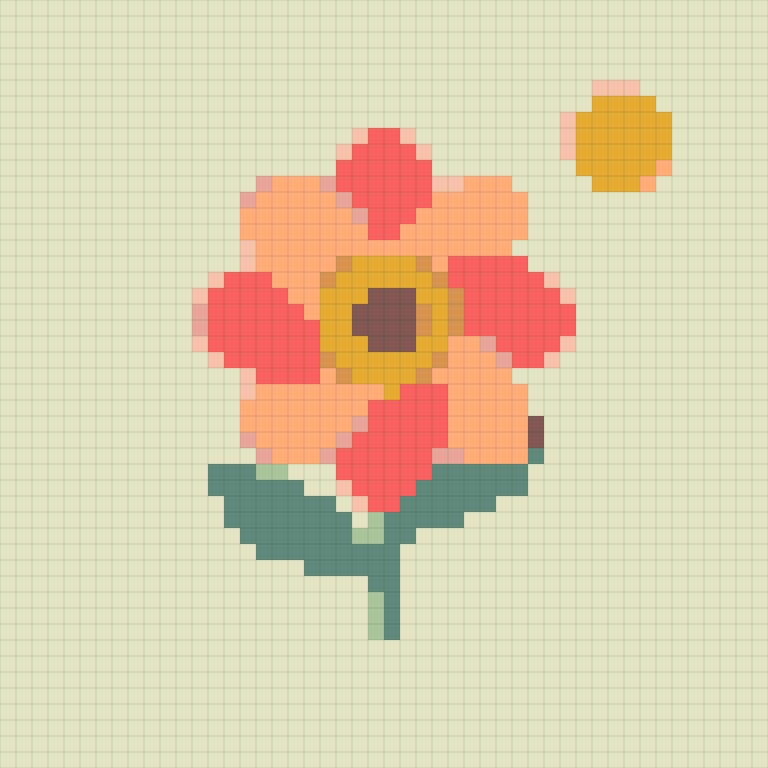
Width 48 beads · Up to 12 colors · Cleanup: medium · Dithering: off
48 × 48 beads, 10 colors, 2,304 beads in total.
The PNG saves the color grid. Color codes and per-color counts stay on the page after you generate. Codes follow the Hama Midi numbering, not Perler.
Hama-specific planning
The output stays tied to Hama codes and a familiar board footprint, so the preview connects to the materials on your table.
Every used color is labeled with its Hama code and quantity, so sorting and shopping stay straightforward.
Confetti levels let you decide whether to protect small accents or simplify the pattern for faster ironing.
The pattern size is translated into standard 29×29 board coverage before you start placing beads.
Made for Hama makers
Hama and Perler are similar crafts, but their color numbers and product ranges are not interchangeable.
A similar-looking Perler shade may have no one-to-one Hama equivalent. This page quantizes directly to Hama Midi codes so the material list matches the brand you intend to use.
Hama portraits benefit from enough width around the eyes and mouth, while logos and cartoon art can stay compact. Preview at normal viewing distance before adding more cells.
Large multi-board patterns can shift at seams. Keep board boundaries visible in your planning and test iron time on spare beads because colors and finishes can react differently.
Good to know
Yes. The matcher and material list use the Hama Midi color range and standard square-grid workflow.
No. They are separate brands with different numbering and color ranges, so use the page for the beads you plan to buy.
The result estimates 29×29 board coverage across and down. Exact board arrangements depend on the shape of your project.
Neon, translucent, pastel, and physical plastic finishes cannot be represented exactly by a flat HEX color.
Medium is a good start. Compare it with Low if you need to preserve tiny highlights around eyes or jewelry.
No. It remains in your browser and is never uploaded by PixelSkein.